PDF p. 2036 · 23-E-10
- 1.Remove the armrest pocket (See Page 23-E-6).
- 2.Remove the 14P and 7P connectors from the power window master switch.
- 3.Check for continuity between the terminals in each switch position according to the tables.
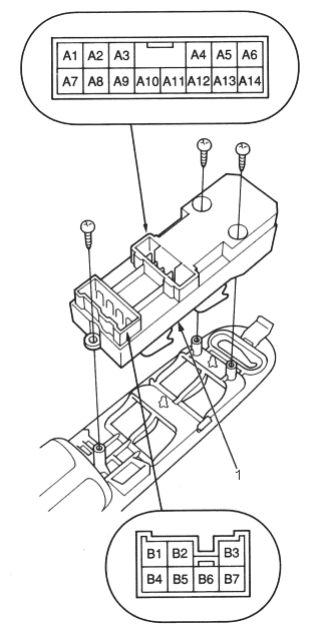
- 1. POWER WINDOW MASTER SWITCH
Driver’s Switch:
The driver’s switch is combined with the control unit so you cannot isolate the switch to test it. Instead, run the master switch input test procedures (See Page 23-E-6).
If the tests are normal, the driver’s switch must be faulty.
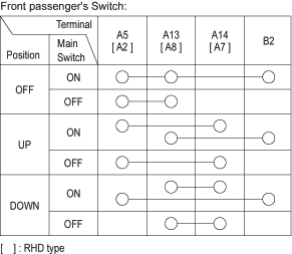
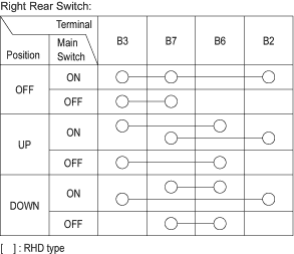
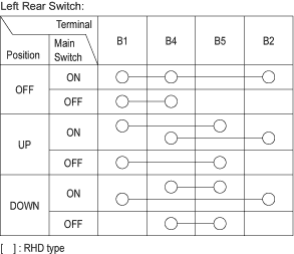
- 4.Check that the switch light comes on when connecting the battery power to the A2 [A5] terminal and ground to the A12 [A9] terminal.
- If it does not come on, replace the master switch.