PDF p. 627 · 14-72
- 1.Remove the front console (see section 20), then disconnect the A/T gear position switch connector (14P).
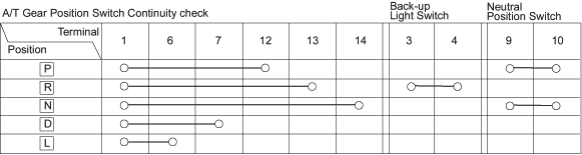
- 2.Check for continuity between the terminals in each position according to the following table.
- Move the shift lever back and forth at each position without pushing the push button and check for continuity within the range of free play.
- If there is no continuity within the range of free play, adjust the installing position of the A/T gear position switch as described on the next page.
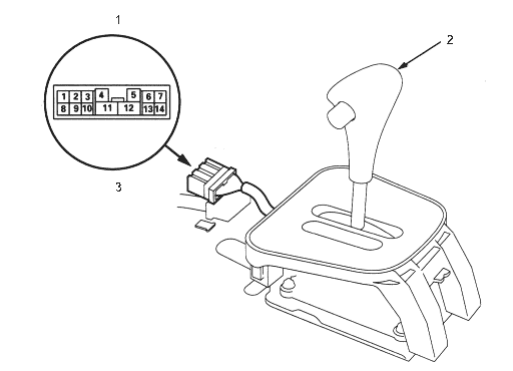
- 1. A/T GEAR POSITION SWITCH CONNECTOR (14P)
- 2. SHIFT LEVER
- 3. Terminal side of male terminals