PDF p. 1086 · 22-31
- Check the plated parts of the armature plate for colour changes, peeling or other damage. If there is damage, replace the clutch set.
- Check the rotor pulley bearing play and drag by rotating the rotor pulley by hand. Replace the clutch set with a new one if it is noisy or has excessive play/drag.
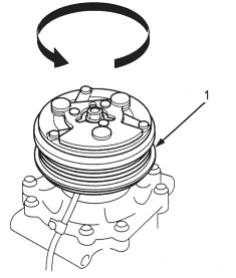
- 1. ROTOR PULLEY
Measure the clearance between the rotor pulley and the armature plate all the way around. If the clearance is not within specified limits, the armature plate must be removed and shim(s) added or removed as required, for the procedure (See Page 22-32).
Clearance: 0.5 ±0.15 mm (0.020 ±0.006 in)
NOTE: The shims are available in four thicknesses: 0.1 mm, 0.2 mm, 0.4 mm and 0.5 mm.
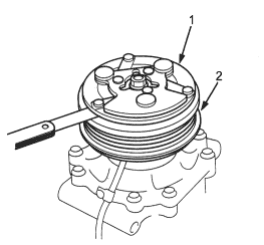
- 1. ARMATURE PLATE
- 2. ROTOR PULLEY
- Release the field coil connector from the holder, then disconnect it. Check the thermal protector for continuity. If there is no continuity, replace the thermal protector.
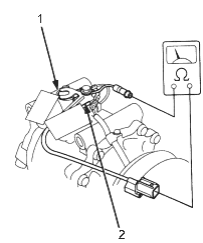
- 1. THERMAL PROTECTOR
- 2. HOLDER
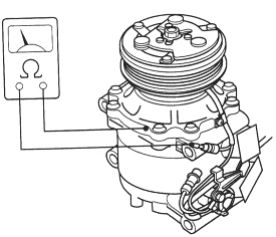
Check resistance of the field coil. If resistance is not within specifications, replace the field coil.
Field Coil Resistance: 3.2 ±0.15 ohms at 20°C (68°F)